How to Automatically Send Customer Statements in NetSuite
NetSuite is the #1 cloud-ERP platform and offers a variety of configurable email settings to users.
NetSuite allows companies to send Automated Statement Emails instead of a single email every period of time. Here is how you can easily set up a workflow in NetSuite that will allow you to automatically send customer statements.
Create a Custom Field that will act as a flag
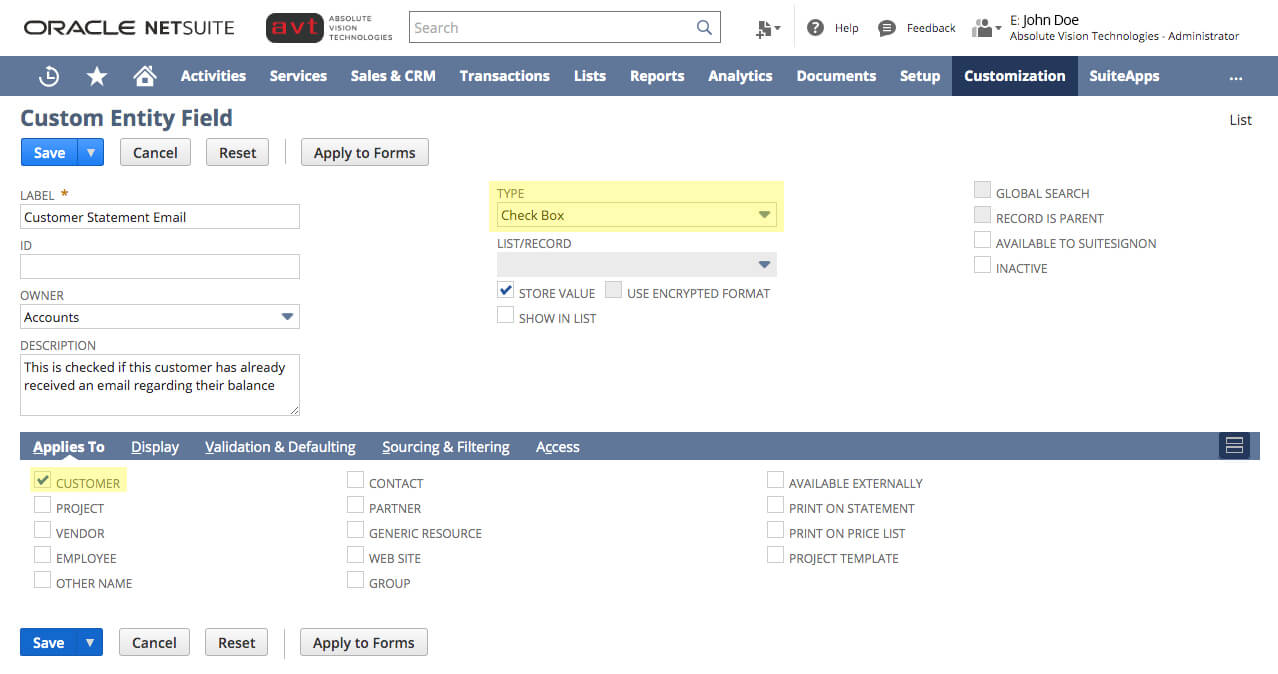
This field will be used to act as a flag. If this check box is checked, then this customer wants to receive a statement email on a recurring basis. If this field is not checked, the customer will not receive an emailed statement.
- 1. Navigate to Customization -> List, Records, Fields -> Entity Fields -> New
- 2. Change Type to Check Box and apply it to Customer
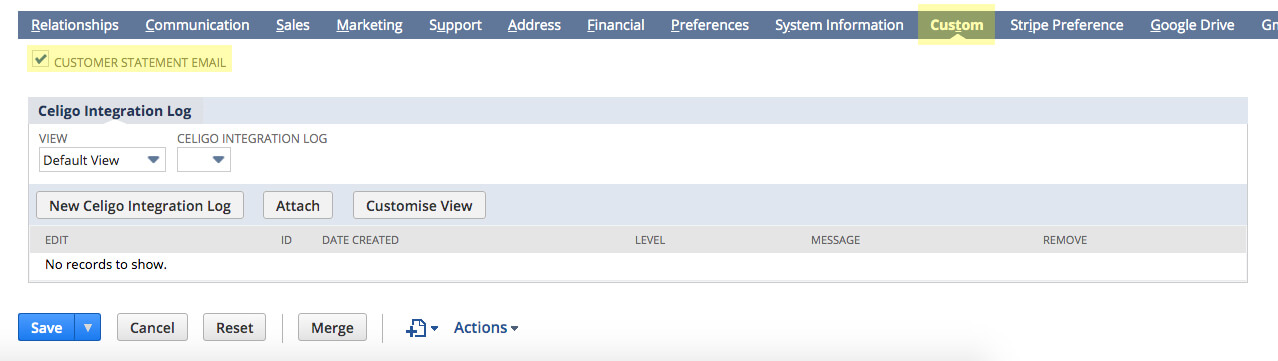
- 3. Check this box on the customer records of the customers that want to have a balance email sent
Create a Saved Search for Customers with Open Balances
The results of this search will be the list of customers that need to be emailed:
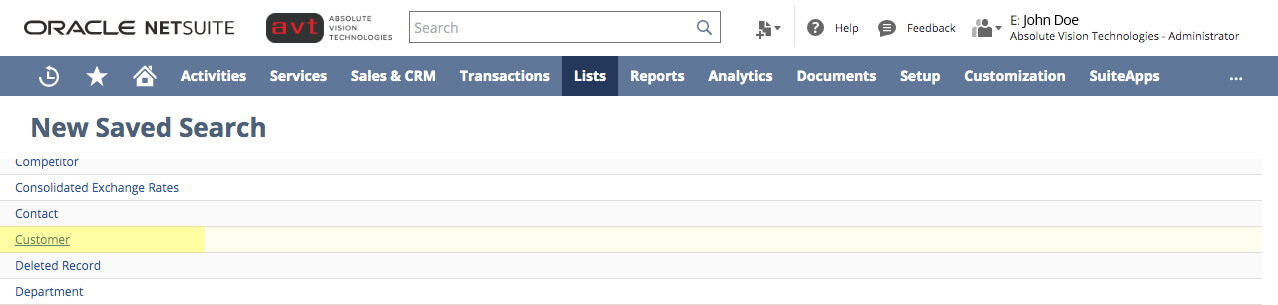
- 1. Navigate to Lists -> Search -> Saved Searches -> New
- 2. Set the criteria of which customers you want to email. Make sure to set Customer Wants Statement Email to true as part of the criteria
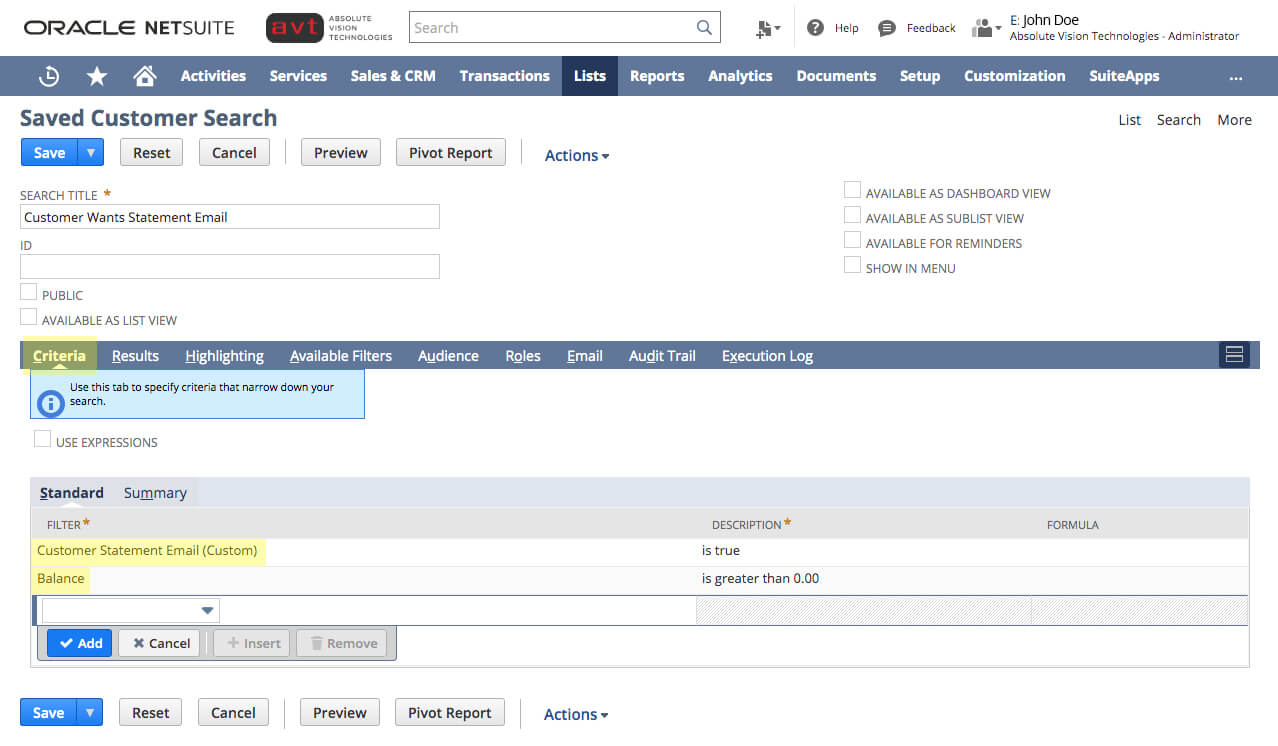 *Check the Results. Your Saved Search displays your company customers with a balance greater than 0 who want statement emails.
Create a Workflow
This workflow will automate the process of sending balance emails to customers:
-
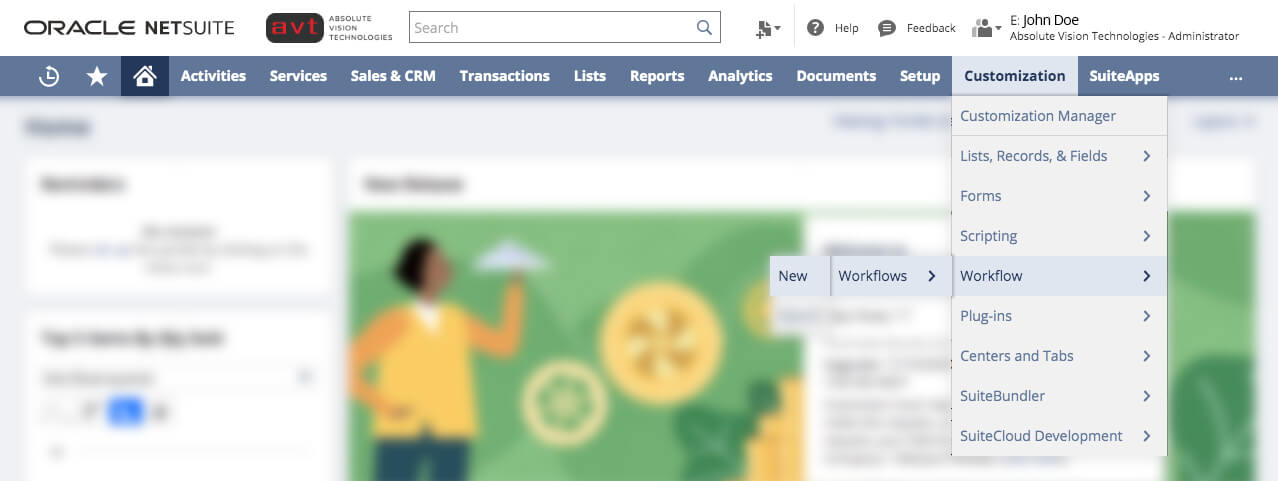
- 1. Navigate to Customization -> Scripting -> Workflows -> New

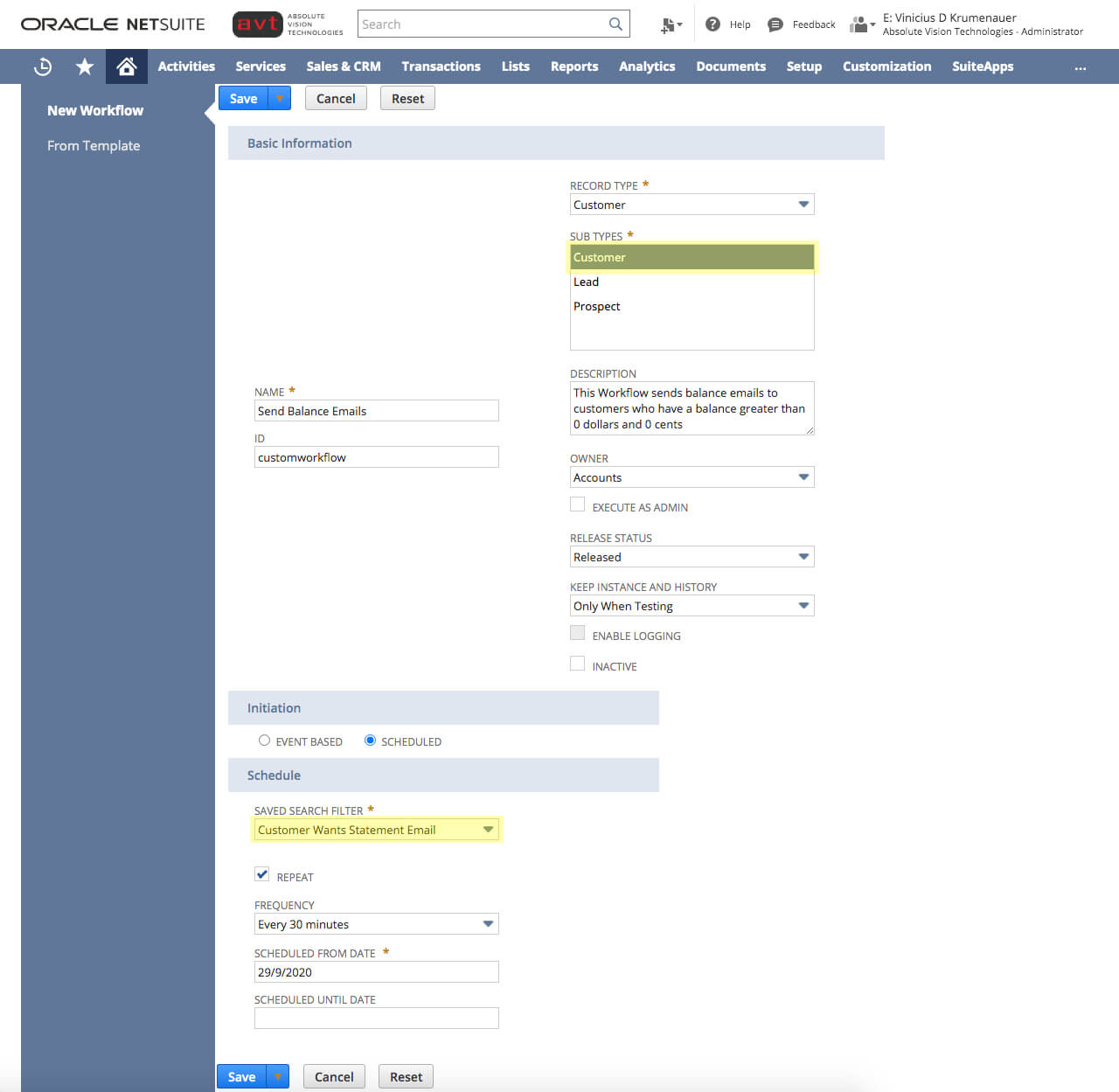
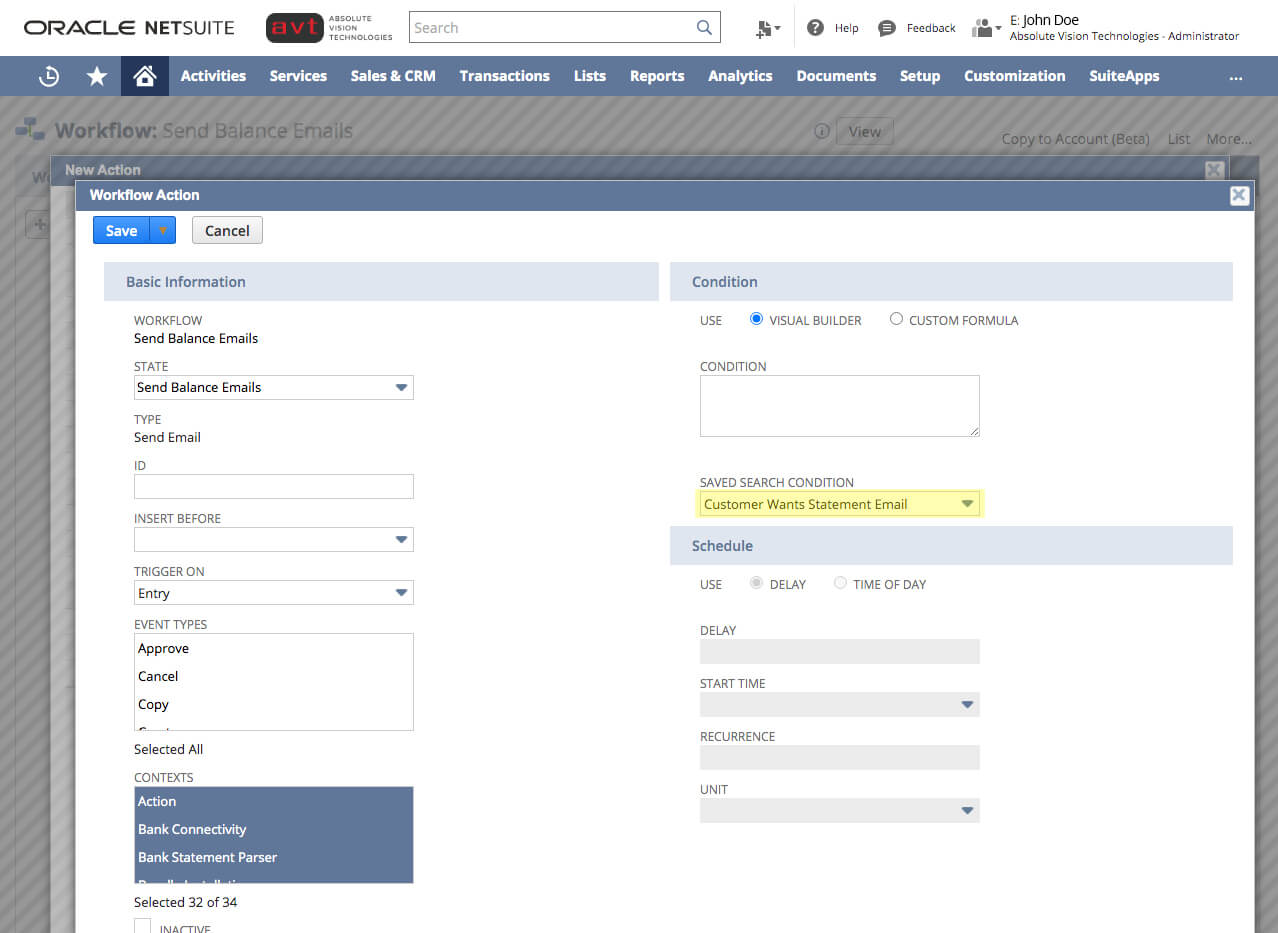
- 2. Choose record type as customer and the saved search you created as the saved search filter:
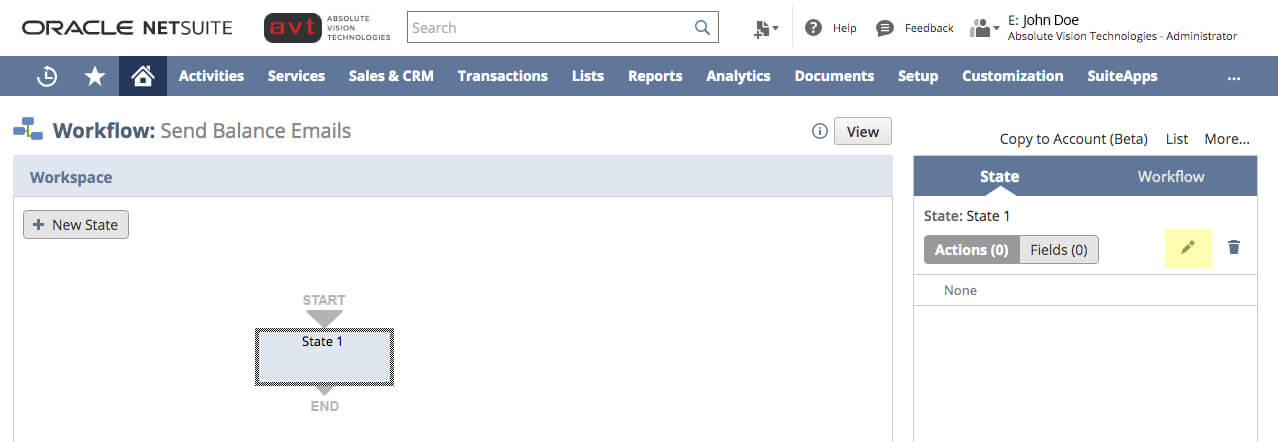
- 3. Add a new state. Click on the Pencil Icon
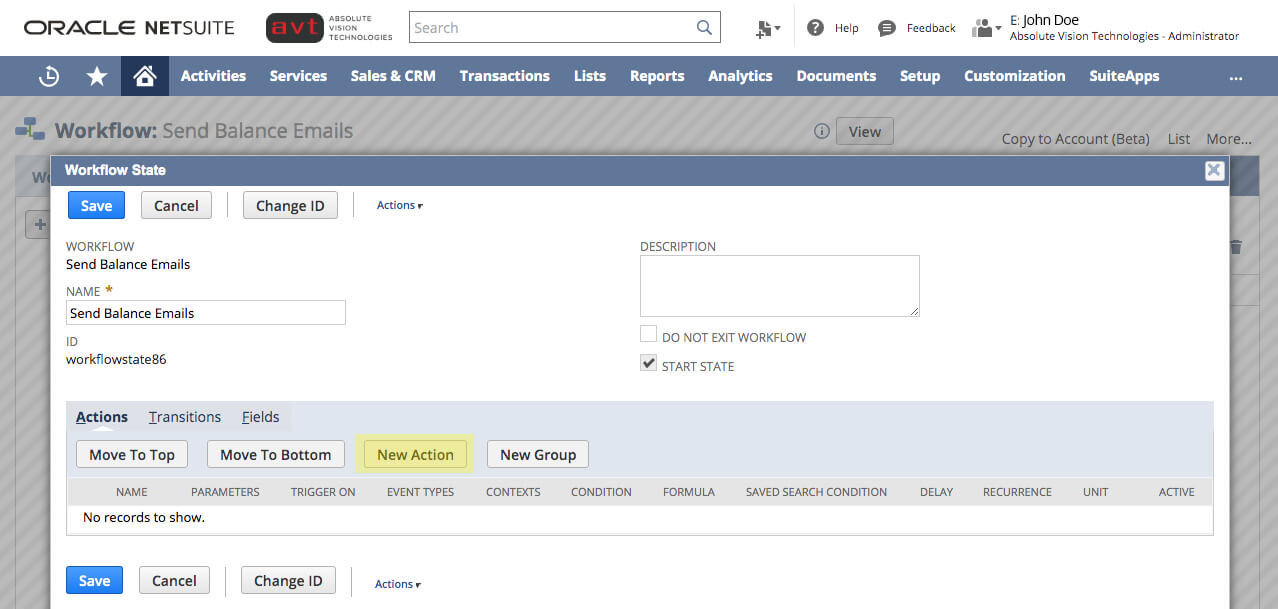
- 4. Name it, add description (optional) and click New Action
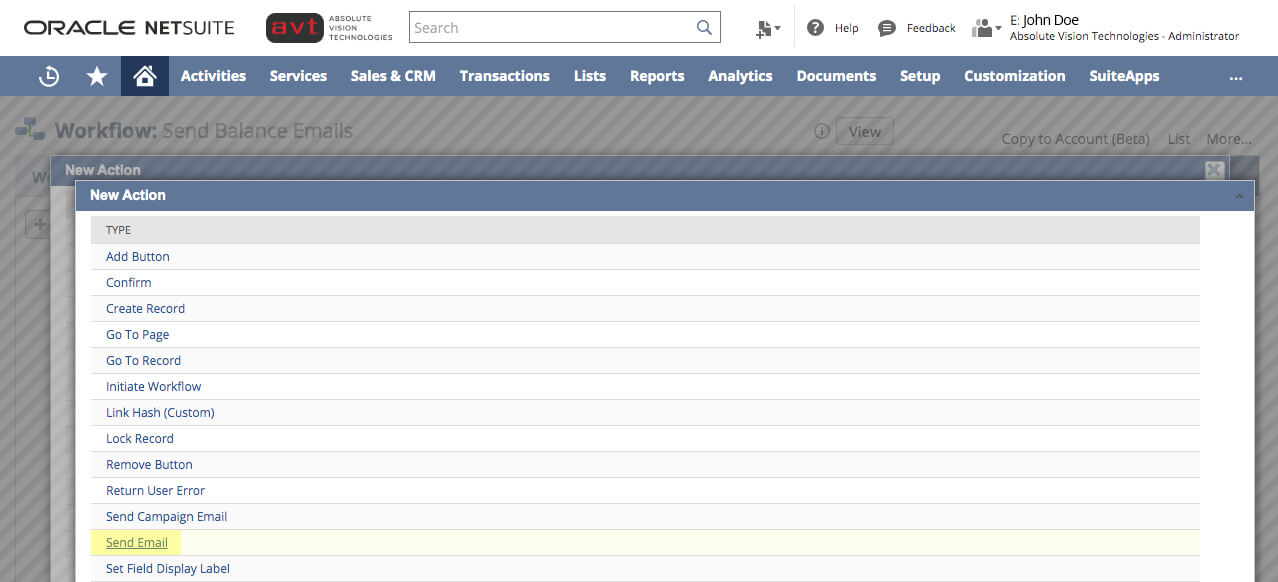
- 5. Select Send Email
- 6. Choose record type as customer and the saved search you created as the saved search filter:
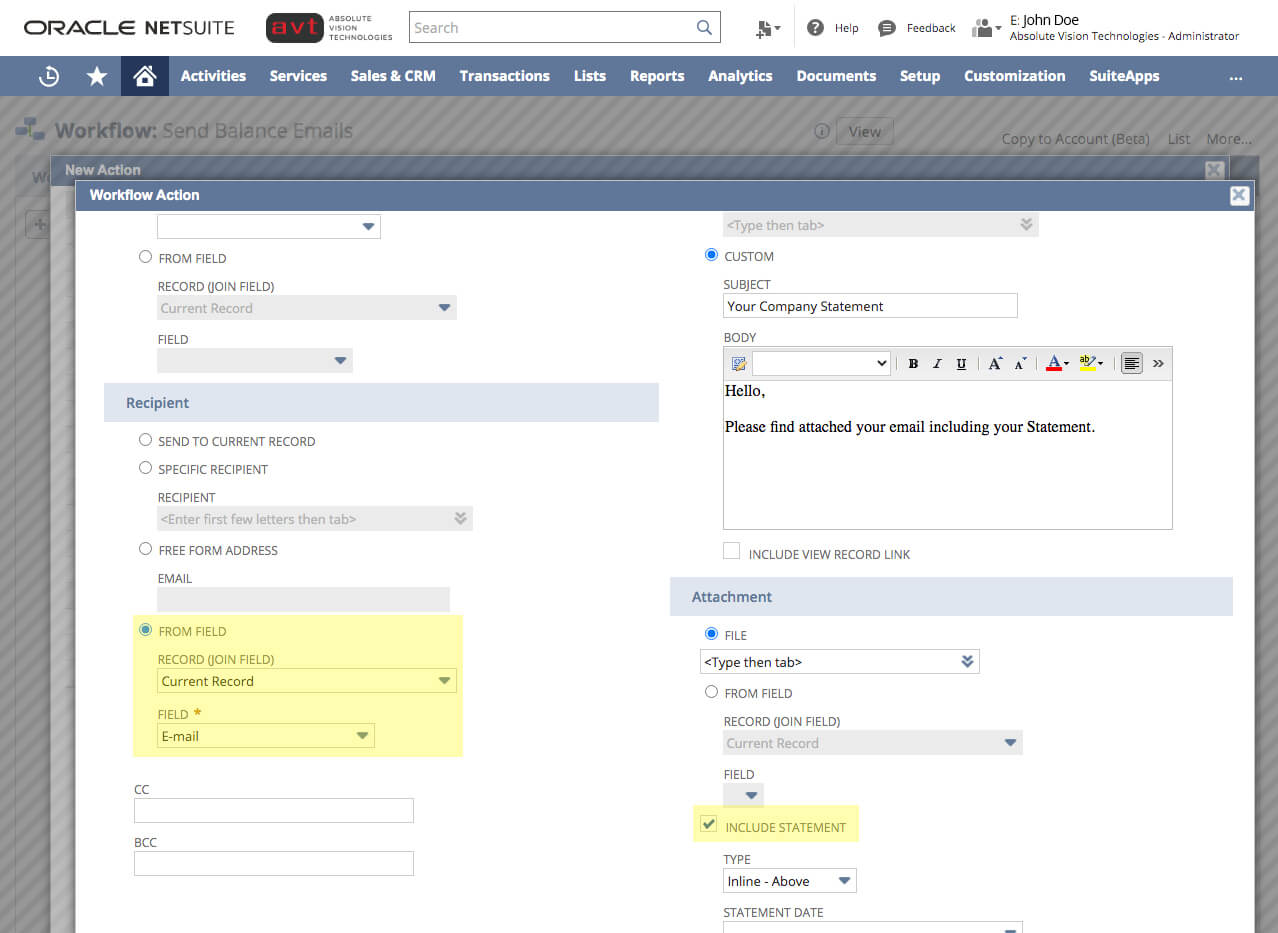
- 7. Add a New Workflow Action. Make sure to check Include Statement
- 8. Complete Workflow:
Execute Workflow
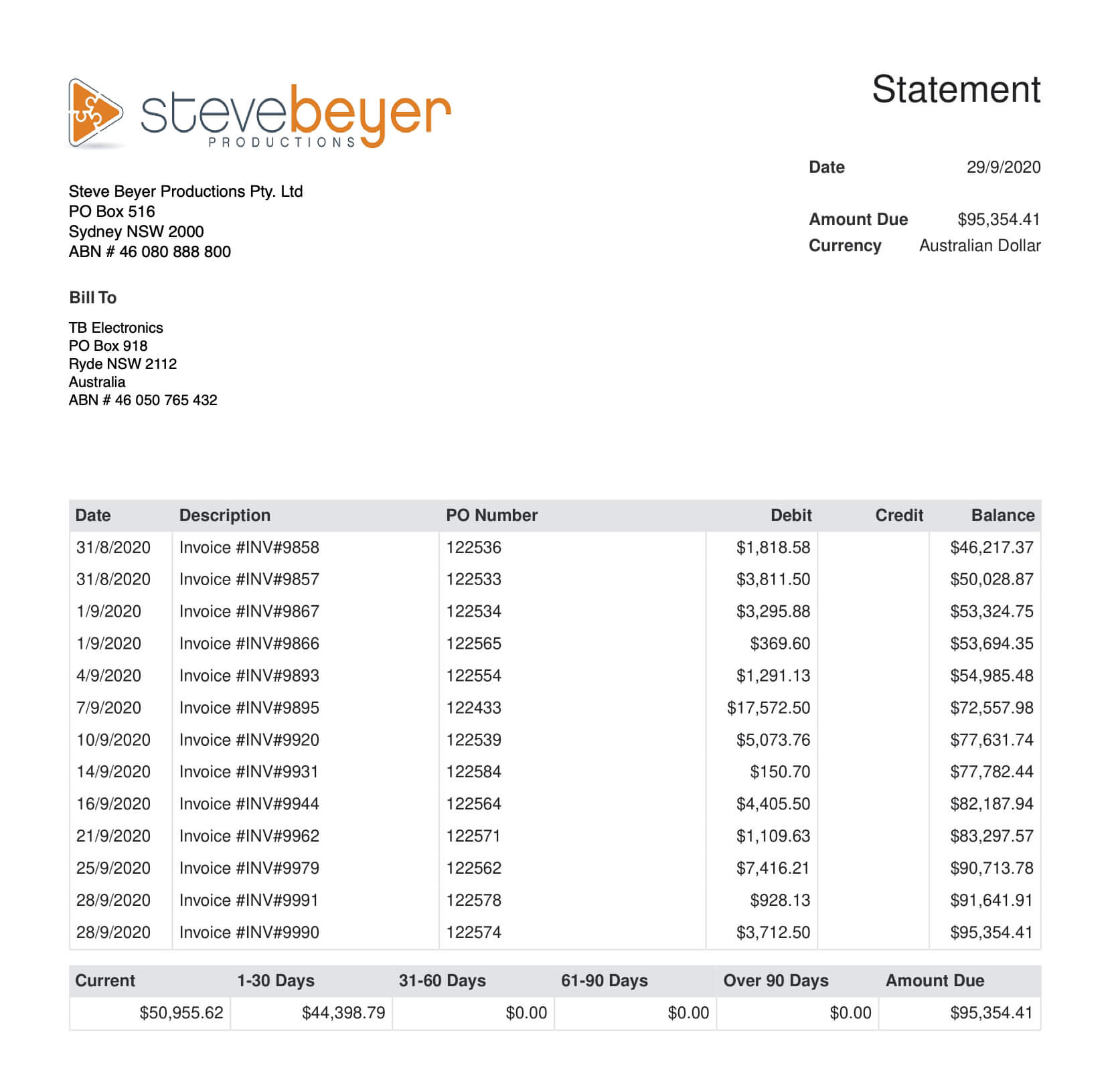
Once executed, all the customers from the original saved search are sent an email of their balance.
Last but not least:
- Afterward, the Saved Search will appear to use for future emails and can be edited or revised depending on your needs.
ERP Resources
One System For Your Entire Company
Improve & Drive
AVT can help streamline your NetSuite Implementation. Using our NetSuite Improvement Roadmap and tools you are able to best improve the adoption of NetSuite and its use across the organisation.Integrate
Connecting Systems is easier with AVT Integration solutions for NetSuite. Using our pre-built solutions and IP your organisation can achieve systems integration at a much faster pace for a successful deployment.