Project Services · Time Capture · NetSuite Native

AVT Project Time Tracking for NetSuite

Accurate, mobile-first time capture against NetSuite projects, tasks and work orders. Clock in/out, manage resource availability, share external calendars and reduce project billing cycles — natively in NetSuite.
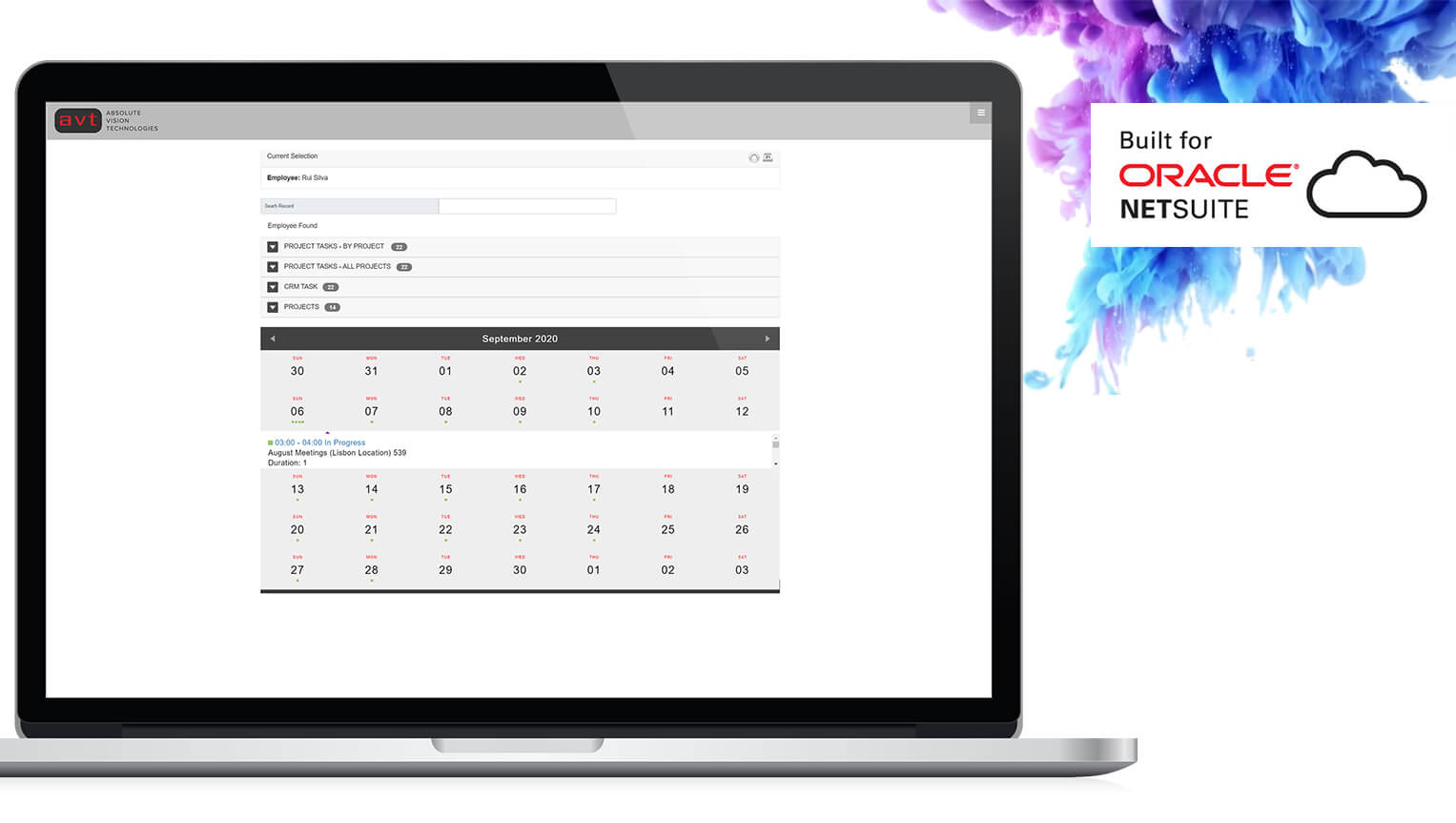
AVT Project Time Tracking for NetSuite
Clock In / Clock Out
📱
Mobile & Tablet Ready
📋
Project & Task Tracking
📅
Availability Management
🔗
External Calendar Sharing
Why AVT Project Time Tracking

Capture Every Hour. Bill Every Project.

AVT Project Time Tracking gives project resources a simple, mobile-friendly way to log time accurately against NetSuite projects and tasks — reducing billing delays, improving project cost visibility and eliminating timesheet chasing.

Improve Resource Productivity
Resources log time directly against projects, tasks and work orders from any device — no separate timesheets, no data re-entry, no end-of-week guessing.
Capture Accurate Project Time
Clock in/out functionality captures exact time spent on each task — with manual date and time entry for flexibility when clocking in real-time is not possible.
📱
Mobile Task Visibility
Resources view their assigned tasks and bookings on tablets and mobile devices — with a simple, touch-friendly interface designed for field and project teams.
📅
Manage Resource Availability
Resources update their own unavailable dates, skills and regions — giving project managers accurate availability data without manual coordination.
🔗
Share External Calendars
Generate and share external calendar links so clients and team members can view bookings and interact with project schedules from outside NetSuite.
📈
Reduce Billing Cycle Time
Accurate, real-time time capture means project billing is ready as soon as work is complete — no chasing timesheets or reconciling conflicting records.
Core Capabilities

Three Integrated Time Tracking Modules

AVT Project Time Tracking combines mobile time capture, project integration and employee self-service in a single, cohesive platform natively inside NetSuite.

Time Capture
Project Integration
Employee Self-Service

Mobile Time Capture

A simple, responsive interface lets resources log time from any device — with clock in/out for precise capture, manual entry for flexibility and file attachment for supporting documentation.

  • Clock In / Clock Out with automatic duration calculation
  • Manual date and time entry for flexible logging
  • File attachment against time entries for evidence and documentation
  • Mobile and tablet responsive interface — iOS and Android
  • Touch-friendly design built for field and project teams
  • Offline entry sync when connectivity is restored
Mobile Time Capture Interface

Project & Task Integration

Time entries link directly to NetSuite projects, project tasks, CRM cases and work orders — giving project managers accurate, real-time cost and progress data without manual reconciliation.

  • Track time against NetSuite Projects and Project Tasks
  • Track time against CRM Cases and Activities
  • Work Order time capture for field service teams
  • Select date, time and slot times per project task
  • Automatic cost calculation from captured time entries
  • Real-time project cost and progress reporting in NetSuite
📋
Project Time Integration

Employee Self-Service

Resources manage their own availability, skills and documents — reducing the admin burden on project managers and giving the scheduling team accurate, up-to-date resource data at all times.

  • Create and manage unavailable time slots and dates
  • Update skills, competencies and service regions
  • Upload and access documents against bookings
  • Generate and share external calendar link for bookings
  • Interactive external calendar for client-facing booking visibility
  • Accept or decline task assignments from calendar invites
👥
Employee Self-Service Portal
How It Works

From Task Assignment to Billing in Four Steps

AVT Project Time Tracking closes the gap between project scheduling and billing — ensuring every hour worked is captured, attributed and ready to invoice.

1
Get Assigned
Resources receive task assignments in NetSuite — visible on their mobile device with full project and task detail.
2
Clock In
Resources clock in when work starts — or enter time manually. Files and notes are attached directly to the time entry.
3
Clock Out & Submit
Duration is calculated automatically on clock out. Time entries flow directly into NetSuite project and billing records.
4
Bill Accurately
Project managers review captured time in NetSuite — billing is ready as soon as the work is complete, with no chasing.
Works with
NetSuite Advanced Projects
NetSuite CRM Cases
NetSuite Work Orders
AVT Resource Management
Google Calendar
Client Results

What Our Clients Say

See AVT Time Tracking in Action

We will walk you through a live demo of AVT Project Time Tracking inside NetSuite — showing mobile time capture, project integration and employee self-service for your team structure.

  • Mobile clock in/out demonstration on a real device
  • Time entry against NetSuite projects and tasks
  • Employee self-service availability management
  • External calendar link generation and sharing
  • Typical implementation timeline: 2-3 weeks

Book Your Time Tracking Demo

Ready to Capture Every Billable Hour?

Join 100+ companies using AVT SuiteApps to automate, integrate and optimise their NetSuite ERP.

Request a Demo Browse All SuiteApps