Integration · Cloud Printing · NetSuite Native

AVT Print Node Integration for NetSuite

Automate printing of Sales Orders, Picking Tickets, Dispatch Dockets and custom NetSuite documents to any printer worldwide — via the PrintNode cloud platform. Works with Windows, Mac, Linux, Zebra, Star, EPSON and most common label / receipt printers.
AVT Print Node Integration for NetSuite
🖨
Auto-Print Sales Orders
📋
Picking Tickets
📦
Dispatch Dockets
🌐
Multi-Site Routing
Workflow Triggered
Why AVT Print Node Integration

AVT Print Node Connector

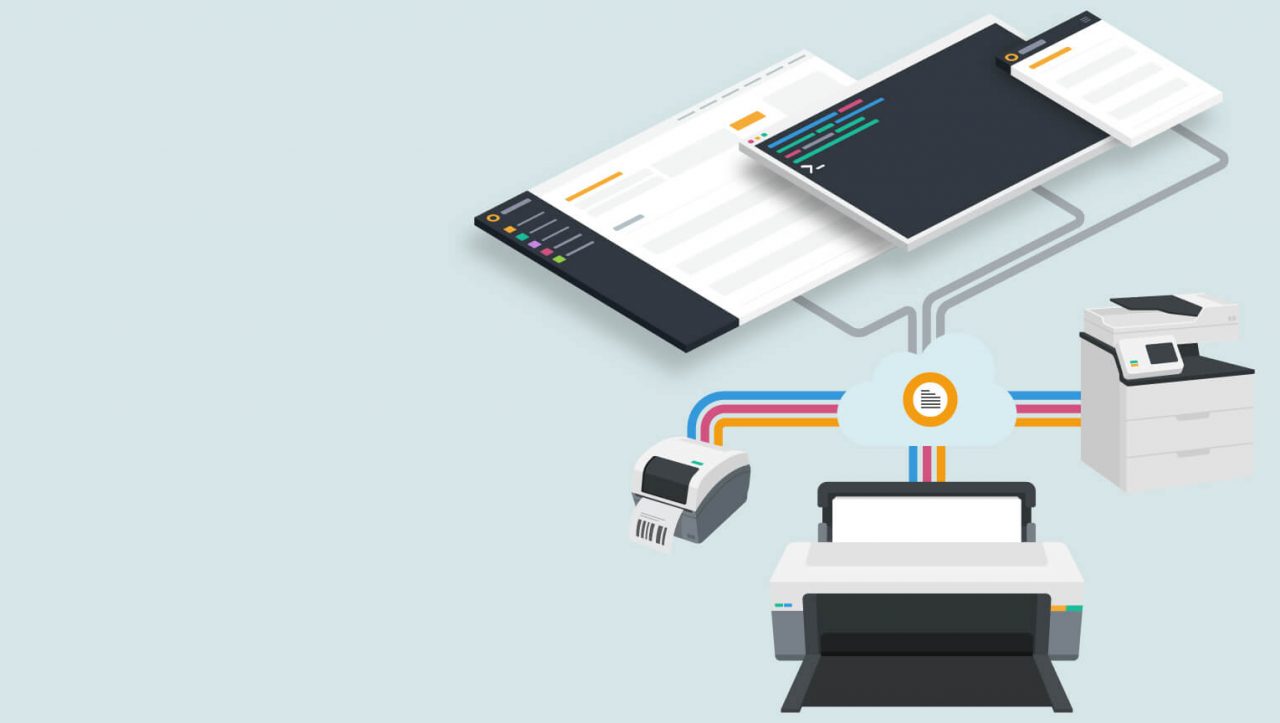
Connect any printer to NetSuite using the PrintNode cloud platform — eliminate manual save-and-print cycles, route documents to the right printer automatically, and ditch fragile local print drivers for good.

🖨
Connect Any Printer
PrintNode works with all major printer brands (Zebra, Star, EPSON, HP, Brother, Canon, Dymo) on Windows, Mac and Linux — no print server, no driver headaches.
Auto-Print Sales Documents
Sales Orders, Picking Tickets, Dispatch Dockets, Invoices, Packing Slips and Shipping Labels print automatically when triggered by NetSuite workflows.
🌐
Multi-Site, Multi-Printer Routing
Route each document to the right printer based on warehouse, location, document type or custom rule. Manage hundreds of printers across global sites from NetSuite.
🔧
Custom Workflow Triggers
Use NetSuite workflows or SuiteScript to fire print jobs on any transaction event — status change, save, button click or scheduled batch.
Built for NetSuite
Submitted for Built for NetSuite certification — meeting the highest standards of security, data integrity and overall quality demanded by Oracle.
💰
Flat Annual Fee
Predictable transparent pricing — no per-print volume charges, no surprise overage fees. Australian-developed and Australian-supported.
Core Capabilities

Key Integration Features

Explore the core capabilities — natively inside NetSuite.

NetSuite Printer Mapping
Document Automation
PrintNode Cloud Platform

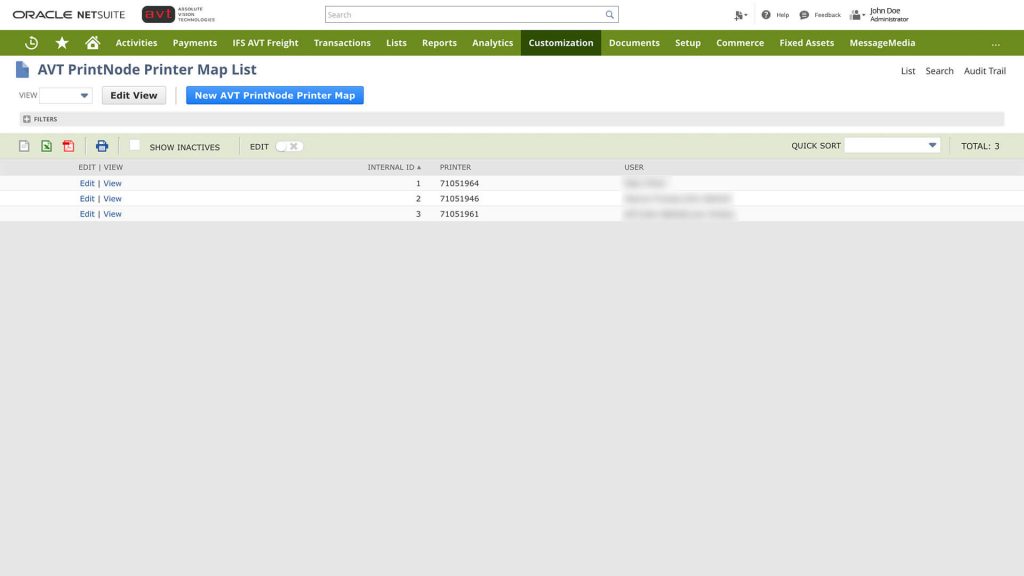
NetSuite Printer Map List

Manage every printer in your business from one screen inside NetSuite — map document types to specific printers by location, subsidiary, warehouse or department, and update routing rules without IT involvement.

  • Native NetSuite SuiteApp — no middleware required
  • Map document types (SO, PO, picking ticket, invoice) to specific printers
  • Route by location, subsidiary, warehouse or custom rule
  • Per-user printer defaults for picking stations and dispatch zones
  • Bulk import and export of printer maps
  • Configurable API settings managed inside NetSuite
  • Full print job audit log with retry on failure
NetSuite Printer Map List

Workflow-Driven Document Automation

Drive print jobs from NetSuite workflows and SuiteScript — eliminate the manual save-and-print cycle that slows your warehouse, dispatch and finance teams.

  • Trigger print on status change (e.g. SO → Pending Fulfilment)
  • Auto-print picking tickets when wave is released
  • Auto-print dispatch dockets on shipping confirmation
  • Bulk batch printing of statements, invoices and POs
  • SuiteScript API for fully custom print triggers
  • Print on scheduled basis (e.g. daily aged receivables report)
  • Multi-document jobs (e.g. invoice + remittance + label together)
Workflow-Driven Printing

PrintNode Cloud Platform

PrintNode is the trusted cloud-printing infrastructure used by thousands of businesses globally — a lightweight local client on each PC routes jobs from NetSuite to any connected printer over the internet.

  • PrintNode local client on Windows, Mac or Linux
  • Auto-discovers all connected printers on the device
  • Supports network, USB and Bluetooth printers
  • Encrypted HTTPS connection from NetSuite to PrintNode cloud
  • Real-time printer status, queue and online/offline monitoring
  • Centralised PrintNode dashboard for IT to manage devices
  • Works behind firewalls without inbound port forwarding
PrintNode Cloud Platform Interface
How It Works

How the Integration Works

AVT Print Node Connector links NetSuite to your printers via the PrintNode cloud — no print server, no on-premise infrastructure required.

1
Install & Configure
AVT installs the SuiteApp bundle in NetSuite and the PrintNode client on each PC connected to a printer.
2
Map Printers
Map document types to specific printers using the NetSuite Printer Map List — by location, role or rule.
3
Trigger From NetSuite
NetSuite workflows, SuiteScript or button clicks send print jobs to the PrintNode cloud over encrypted HTTPS.
4
Print Locally
The PrintNode client picks up the job and routes it instantly to the local printer — with full audit and retry on failure.
Works with
NetSuite ERP
NetSuite WMS
Windows / Mac / Linux
Zebra / Star / EPSON
Network & USB Printers
NetSuite OneWorld
Client Results

What Our Clients Say

See AVT Print Node in Action

We will walk you through a live demo inside NetSuite tailored to your printing scenarios — whether that's auto-printing picking tickets, dispatch dockets, invoices or custom transaction documents.

  • Live SO → print picking ticket demonstration
  • Workflow-triggered dispatch docket automation
  • Multi-site printer routing setup walkthrough
  • PrintNode client install and configuration overview
  • Typical implementation timeline: 1–2 weeks

Book Your Print Node Integration Demo

Ready to Automate Printing From NetSuite?

Join 100+ companies using AVT SuiteApps to automate, integrate and optimise their NetSuite ERP.

Request a DemoBrowse All SuiteApps